Set up the cart drawer
Replace your theme's cart with a slide-out drawer that has a rewards bar, upsells, add-ons and express checkout.
Crovio's cart drawer slides out when shoppers add to cart and replaces your theme's own cart drawer or popup. It shows the shopper's real cart, prices and currency, using your theme's font. The editor has five tabs: Sections, Checkout, Behaviour, Design and Text & languages, with a live preview of the drawer (with items or empty, desktop or phone).
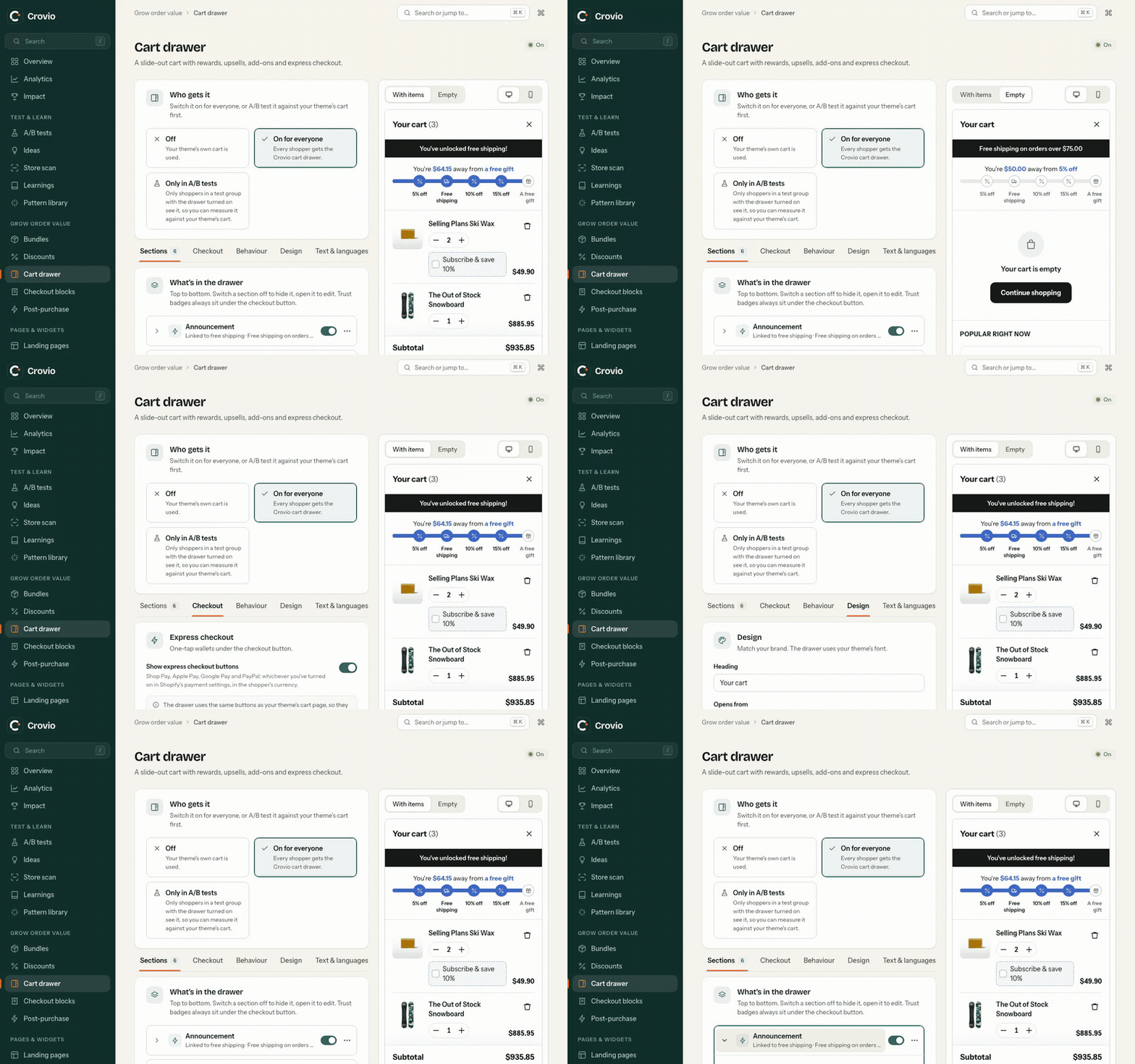
1. Choose who gets it
Go to Cart drawer and pick a mode under Who gets it:
| Mode | What happens |
|---|---|
| Off | Your theme's own cart is used |
| On for everyone | Every shopper gets the Crovio cart drawer |
| Only in A/B tests | Only shoppers in a test group with the drawer turned on see it, so you can measure it against your theme's cart. A/B test the cart drawer |
2. Pick the sections
Under Sections, choose what's in the drawer, top to bottom. Use Add a section, the arrows to reorder and the switch to hide one.
| Section | What it does |
|---|---|
| Announcement | A thin bar at the top: offers, shipping cut-offs, news. Add more than one |
| Countdown | A timer bar: Hold the cart for a few minutes, or Count down to a date. It hides by itself when it ends |
| Rewards bar | Progress towards free shipping, a discount or a gift. Rewards bar |
| Cart items | The products, with quantity and remove. Optionally show the variant, the original price when discounted, and Offer a subscription upgrade (switch a line to its subscription in one tap) |
| Upsells | Recommended or hand-picked products, added in one tap. Upsells and add-ons |
| Add-on | A one-tap extra like shipping protection or gift wrap. Add more than one |
| Discount code | Lets shoppers apply a code without leaving the cart |
| Order note | A note field saved on the order |
| Trust badges | Payment icons and a reassurance line. Always under the checkout button |
3. Checkout and behaviour
- Checkout: express checkout buttons (Shop Pay, Apple Pay, Google Pay, PayPal), the checkout button text, total savings and a terms checkbox.
- Behaviour: open after add to cart, replace the theme's cart, what
/cartdoes, a floating cart button and the empty cart.
Checkout button and behaviour.
4. Design
Accent, background, text, secondary text, lines, checkout button and button text colours, and whether it opens from the Right or Left. Custom CSS fine-tunes anything inside the drawer.
Click Save. The drawer is live straight away in the mode you chose.
Was this page helpful?