Build a funnel
Use the flow map to chain offers, downsells and A/B splits, and choose which orders see a funnel.
On this page
A funnel is a map of steps that starts at Order paid. Open a funnel to see three panels: Flow (the map), Preview and Settings.
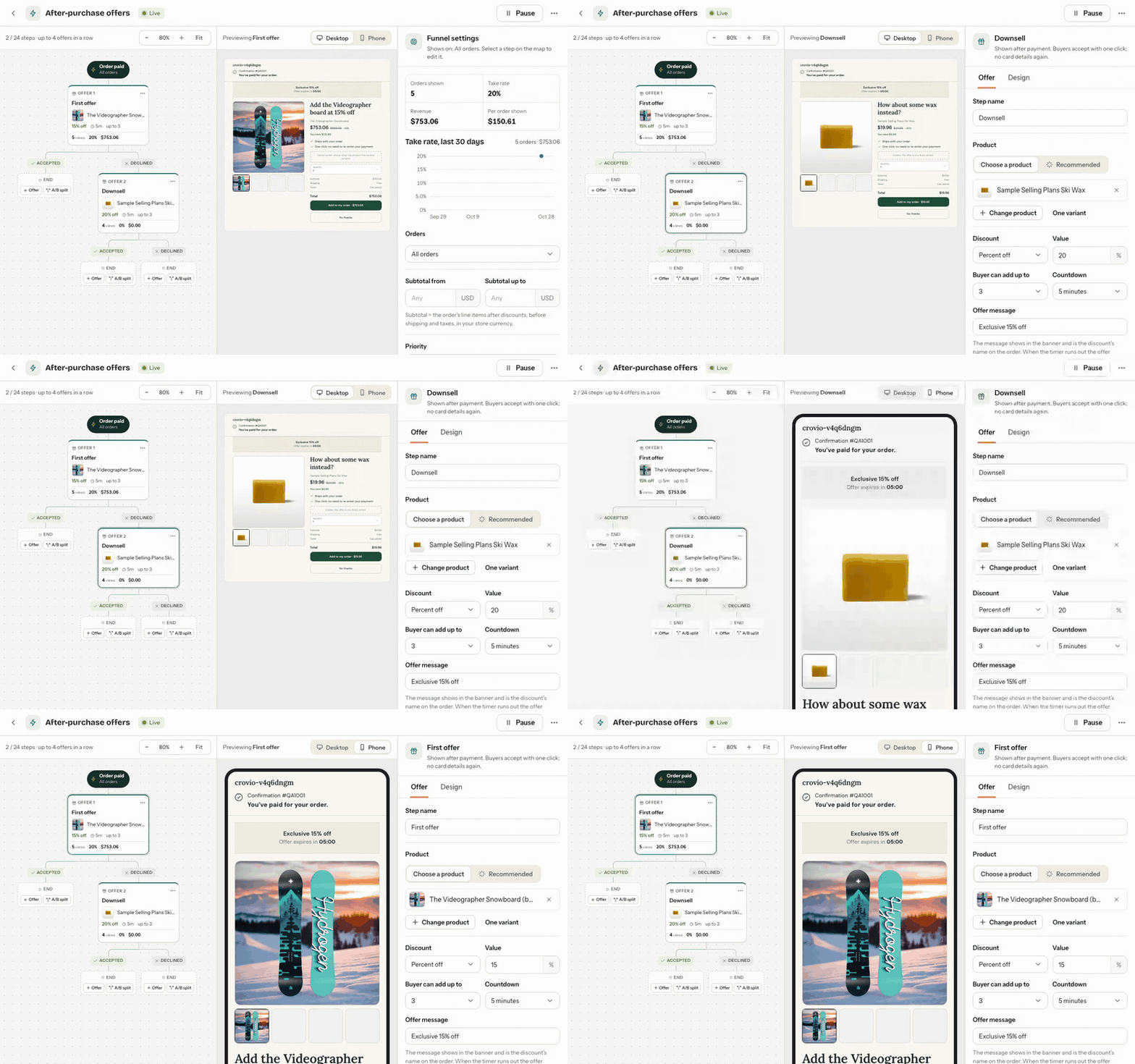
The flow map
- Each Offer card shows its product, discount and live numbers: views, conversion and revenue added.
- Under each offer, the accept path and the decline path lead to another offer or End.
- Click Add an offer here on an empty path to add a step.
- Use the card's menu to Rename, Duplicate, Turn into A/B test or Delete a step. Deleting a step also deletes the steps after it.
- Zoom with the buttons, or click Fit to see the whole funnel.
Steps you unlink stay under Not connected until you delete them; buyers never reach them.
A common funnel:
- First offer: a complementary product at 15% off.
- After accept: a second, smaller add-on.
- After decline (downsell): a cheaper item, or the same item at a bigger discount.
Which orders see the funnel
Open Settings (with no step selected):
- Which orders: All orders, Orders with products, or Orders with collections. For products and collections, choose Any of these or None of these.
- Subtotal from and Subtotal up to: the order's line items after discounts, before shipping and taxes, in your store currency.
- Run order: when several live funnels match an order, the one tried first shows its offer. Use Earlier / Later to change it.
Preview
The Preview panel shows the selected offer as buyers see it, on desktop or phone. Before you pick a product, prices use a stand-in; buyers see Shopify's exact total with taxes and shipping, in their currency.
Was this page helpful?