Settings
What lives in Crovio's Settings page and where each tool's own options are.
Settings holds everything that applies to all of Crovio. Each tool's own options live on its page. Use the jump links at the top to go straight to a section.
Claude & AI
- Connect Claude: the connector URL to paste into Claude, connected clients and Disconnect. Connect Claude.
Every AI feature runs through this connection, on your own Claude plan (Pro, Max, Team or Enterprise). There's nothing else to set up and no AI fees from Crovio.
A/B testing
When a test is called: pick Balanced, Cautious, Fast or Custom rules. A/B testing rules.
Store access
Storefront password: only needed if your online store is password protected (development stores always are). Crovio uses it to scan your storefront. Leave it empty and save to remove it.
Plan
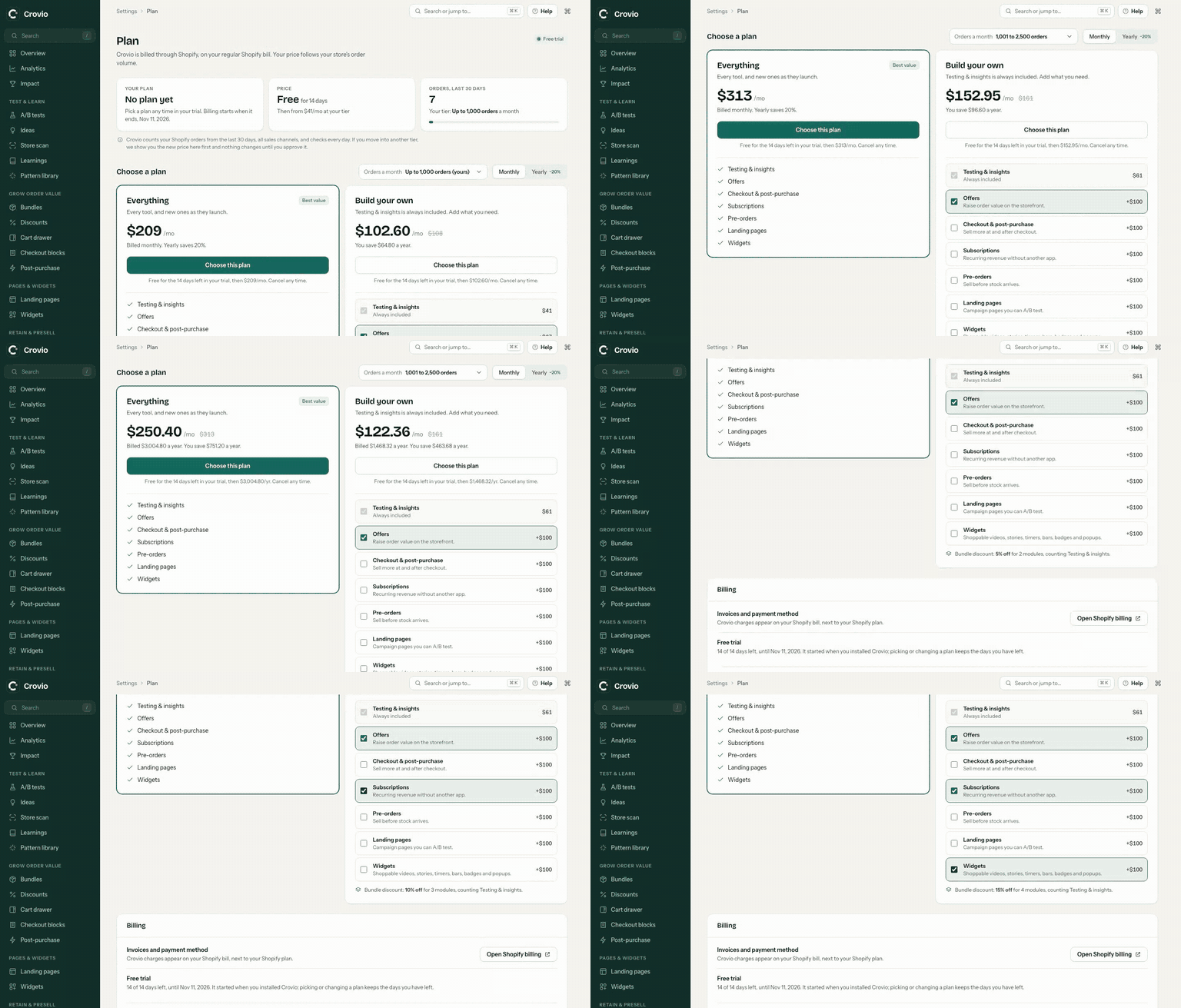
Settings → Plan shows your plan, your order tier and the price after your trial. Pick Everything or build your own from modules, switch between monthly and yearly, and approve tier changes. Plans and billing
Data & privacy
- Pattern sharing: share anonymized test results (pattern, brand type, winner or loser, lift range) to improve suggestions for every store. Never your store name, content or customer data. Off unless you turn it on.
- A link to the privacy policy. Data and privacy.
Feature settings
Shortcuts to the options that belong to one tool:
| Shortcut | Where it goes |
|---|---|
| Subscriptions | Failed-payment retries and cancel offers (retention), the customer portal, notifications and order tags (portal, tags) |
| Checkout look & feel | Colours, fonts and corners for checkout and offers (look and feel) |
| Cart drawer | On/off, rewards bar, upsells, design (cart drawer) |
| Pre-order orders | Release and charge balances (release and charge) |
| Setup checklist | Show again puts the checklist back on Overview |
Was this page helpful?